
Introduction
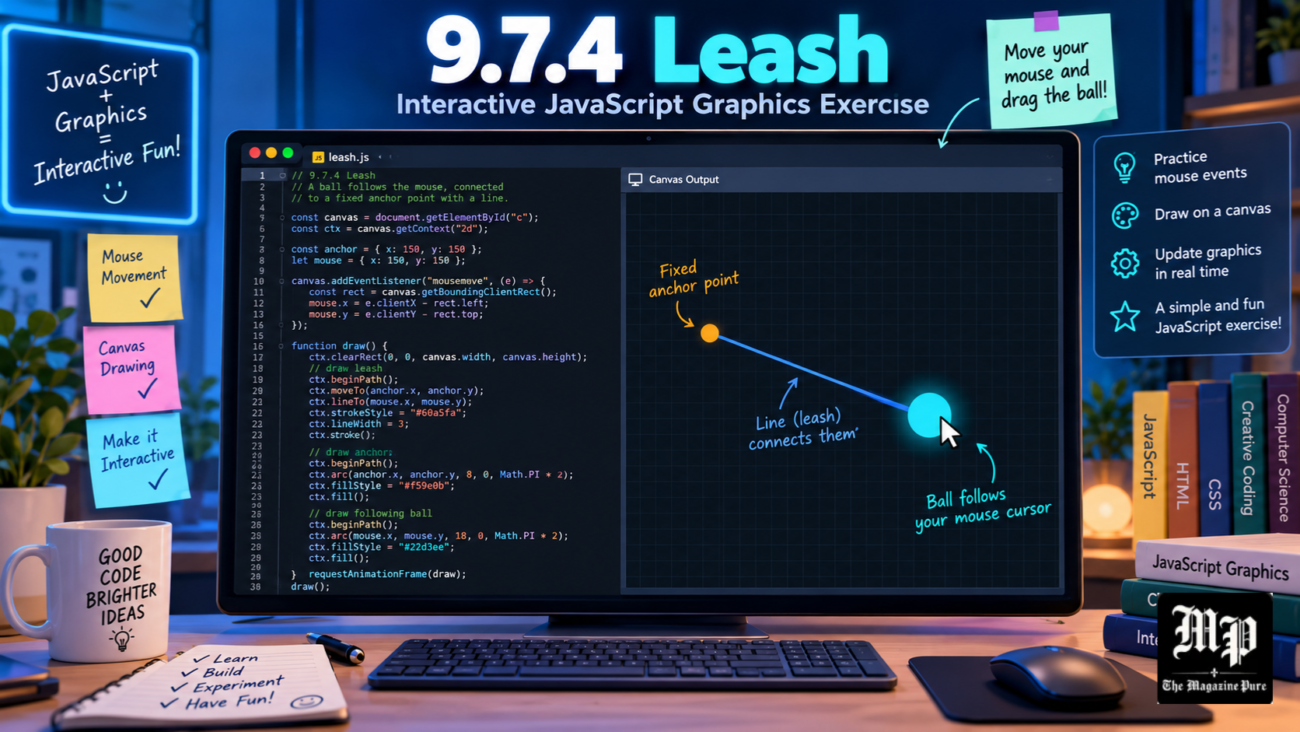
The 9.7.4 Leash CodeHS exercise is an interesting programming activity designed to help students understand JavaScript graphics and mouse movement. CodeHS is an educational platform that teaches computer science through interactive lessons, coding exercises, and practical projects. The Leash activity focuses on creating a ball connected to a line that responds when the user moves the mouse. Although the exercise looks simple, it introduces important concepts such as coordinates, graphical objects, functions, and mouse events.
Many students find this exercise challenging because they must control two objects simultaneously. The ball needs to follow the mouse pointer while one endpoint of the connecting line remains fixed. Understanding these movements is essential for writing a successful program. This guide explains how the activity works, the JavaScript methods required, common programming mistakes, and practical ways to complete the exercise correctly.
What Is 9.7.4 Leash in CodeHS?
The 9.7.4 Leash exercise belongs to the Drawing Lines lesson in the Introduction to Computer Science in JavaScript course. In the 2022 CodeHS curriculum, it appears within Unit 9, Animation and Games. This section teaches students how graphical objects respond to user actions. Earlier activities introduce drawing shapes and handling mouse events, while Leash combines these concepts into one interactive program. The exercise helps students practise controlling graphical elements rather than displaying objects that remain stationary.
The main task involves creating a ball attached to a line. The line begins at the centre of the graphics canvas, and its starting position must remain unchanged. When the mouse moves, the ball follows the pointer while the opposite endpoint of the line moves with it. This creates the appearance of a leash connecting the moving ball to a fixed location. Students must update existing objects instead of creating new ones during every movement.
Understanding JavaScript Graphics and Coordinates
JavaScript graphics allow programmers to create shapes such as circles, rectangles, and lines inside a drawing area. In CodeHS, every graphical object has a position determined by coordinates. The X coordinate represents horizontal movement, while the Y coordinate represents vertical movement. The upper-left corner of the canvas normally begins at coordinates (0, 0). Moving right increases X, while moving downward increases Y. Understanding this system is necessary because the Leash program uses coordinates to connect the ball and line.
The program begins by finding the centre of the canvas. CodeHS provides getWidth() and getHeight() methods to determine the available drawing dimensions. Dividing each value by two gives the central position. For example, a canvas measuring 400 pixels wide and 500 pixels high has a centre at (200, 250). The ball starts at this location, and both endpoints of the line initially share the same coordinates. When the mouse moves, only the moving endpoint changes.
How to Build the 9.7.4 Leash CodeHS Solution
A successful solution begins by creating a circle and a line using CodeHS JavaScript Graphics methods. Students can declare variables named ball and leashLine outside their functions so both objects remain accessible throughout the program. Inside start(), the code calculates the canvas centre. A circle can be created using new Circle(30) and positioned with setPosition(centerX, centerY). The line can be created using new Line(centerX, centerY, centerX, centerY), placing both endpoints at the same starting location.
After creating the shapes, students must add them to the canvas using the add() method. Adding the line before the ball allows the circle to appear above the connection point. The next step involves registering mouse movement through mouseMoveMethod(updateLeash). Inside the updateLeash(e) function, the mouse coordinates can be collected using e.getX() and e.getY(). The program then updates the circle using ball.setPosition(e.getX(), e.getY()) and the line using leashLine.setEndpoint(e.getX(), e.getY()). These instructions provide the essential behaviour required for the activity.
How Mouse Movement Controls the Ball and Leash
Mouse movement is the most important interactive feature of the Leash program. CodeHS provides event-handling methods that allow JavaScript functions to respond to actions performed by users. The mouseMoveMethod() function registers a callback that runs whenever the mouse moves inside the graphics canvas. This eliminates the need for repeatedly checking the pointer position through a separate loop. The event handler receives updated coordinates and uses them to reposition the graphical objects.
The event parameter, commonly named e, contains information about the mouse movement. Calling e.getX() returns the horizontal coordinate, while e.getY() returns the vertical coordinate. These values are used to update both the ball and the moving endpoint of the line. Since both objects receive identical coordinates, they remain visually connected. The starting endpoint stays fixed because the program never changes it after creation. This simple relationship demonstrates how event-driven programming makes interactive graphics possible.
Common 9.7.4 Leash CodeHS Errors and Solutions
One common mistake occurs when students create graphical objects inside the start() function using local variables. If the mouse event function cannot access those variables, it may produce an error instead of moving the objects. Declaring the variables outside both functions helps solve this problem. Another common issue involves forgetting to register the mouse movement handler. Without mouseMoveMethod(updateLeash), the program may display the shapes correctly but will not respond when the pointer moves.
Students may also confuse setPosition() with setEndpoint(). The circle uses setPosition() to change its centre, while the line uses setEndpoint() to move one endpoint without changing the other. Incorrect spelling and capitalisation can also prevent the program from running. JavaScript methods are case-sensitive, so getX() is different from getx(). Missing parentheses, brackets, or commas can create additional errors. Carefully reviewing each instruction and checking the CodeHS error messages can help identify these problems.
Testing the Leash Program for Correct Results
Testing is necessary to confirm that the Leash exercise works as expected. When the program first runs, the ball should appear in the centre of the canvas. The connecting line may initially be invisible because its starting and ending coordinates are identical. This is normal behaviour. Once the mouse moves away from the centre, the line should extend towards the ball while maintaining its fixed starting point. Moving the pointer around the screen should update both objects smoothly.
Students should test the program in several directions rather than checking only one movement. Moving the mouse horizontally confirms that the X coordinate updates correctly, while vertical movement tests the Y coordinate. Diagonal movement checks whether both values change together. The line should always connect the central anchor to the ball. If the ball and line move independently, the event handler may contain inconsistent coordinates. Students should also compare their results with the exact instructions provided in their classroom because some assignments include additional requirements.
Why the Leash Exercise Is Important for Learning Programming
The Leash exercise teaches several programming concepts that appear in more advanced computer science projects. One important concept is event-driven programming, where software responds to actions such as mouse movement, keyboard input, or button clicks. Modern games and interactive applications depend on this approach. The exercise also introduces object manipulation, allowing students to change the properties of existing shapes without recreating them. These skills form a foundation for building animations, drawing applications, and simple interactive games.
Another useful lesson involves variable scope and program organisation. Students learn that variables must be accessible wherever they are needed. Separating the initial setup from the mouse movement function also makes the program easier to understand. The start() function prepares the graphics, while the event handler manages interaction. This structure encourages students to organise their instructions according to their purpose. Similar techniques are used in larger applications where different functions handle specific tasks while sharing important program information.
Improving the Leash Program With Creative Features
After completing the basic exercise, students can experiment with additional graphics features. Changing the ball’s colour, radius, or appearance is a simple way to personalise the program. They can also adjust the line’s thickness or colour to make the leash easier to see. Adding a small circle at the fixed anchor point can create the appearance of a physical attachment. These changes help students practise using graphical methods without changing the essential mouse movement behaviour.
More advanced improvements can introduce distance calculations and movement restrictions. For example, a realistic leash could have a maximum length that prevents the ball from moving beyond a certain distance. Students could calculate the distance between the fixed anchor and the mouse position using basic geometry. Another possibility is making the ball move gradually towards the cursor rather than immediately following it. This requires additional animation logic and an understanding of movement speed. These improvements are optional learning activities rather than requirements of the original exercise.
Conclusion
The 9.7.4 Leash CodeHS exercise provides a practical introduction to JavaScript graphics, mouse events, and interactive programming. Its main purpose is to create a ball connected to a line, keep one endpoint fixed, and update the other endpoint whenever the mouse moves. Students must understand how coordinates work and how different graphical methods control objects. The most important functions include mouseMoveMethod(), setPosition(), and setEndpoint(), which work together to produce the required movement.
Completing the activity helps students develop problem-solving skills and confidence in JavaScript programming. Common difficulties usually involve variable scope, incorrect method names, or missing event registration. By understanding the program’s structure and testing each movement carefully, students can identify and correct these mistakes. The exercise also prepares beginners for more advanced animation and game development activities. With practice, the same concepts can be used to create interactive graphics, movement systems, and more complex programming projects.
